1 June, 2025 06:24
import requests
from bs4 import BeautifulSoup
import json
import pandas as pd
class WebCrawler:
def __init__(self, base_url):
self.base_url = base_url
def fetch_page(self, url):
try:
response = requests.get(url)
response.raise_for_status() # Raise HTTPError for bad responses return response.text
except requests.exceptions.RequestException as e:
print(f”Error fetching {url}: {e}”)
return None
def parse_html(self, html_content, tag, attributes={}):
soup = BeautifulSoup(html_content, ‘html.parser’)
return soup.find_all(tag, attrs=attributes)
def scrape(self, page_path=’/’):
url = f”{self.base_url}{page_path}”
html_content = self.fetch_page(url)
if not html_content:
return []
# Example: Extract all links
links = self.parse_html(html_content, ‘a’, {‘href’: True}) return [link[‘href’] for link in links if ‘href’ in link.attrs]
def fetch_api(self, endpoint):
try:
response = requests.get(f”{self.base_url}{endpoint}”) response.raise_for_status()
return response.json()
except requests.exceptions.RequestException as e:
print(f”Error fetching API {endpoint}: {e}”)
return {}
def store_data_csv(self, data, filename):
df = pd.DataFrame(data)
df.to_csv(filename, index=False)
print(f”Data saved to {filename}”)
def store_data_json(self, data, filename):
with open(filename, ‘w’) as f:
json.dump(data, f, indent=4)
print(f”Data saved to {filename}”)
if __name__ == “__main__”:
# Example usage
crawler = WebCrawler(“https://example.com“)
# Scraping links from a webpage
links = crawler.scrape(“/”)
print(“Scraped Links:”, links)
# Fetching data from an API endpoint
api_data = crawler.fetch_api(“/api/data”)
print(“API Data:”, api_data)
# Storing scraped data into CSV
crawler.store_data_csv([{“link”: link} for link in links], “links.csv”)
# Storing API data into JSON
crawler.store_data_json(api_data, “api_data.json”)
Absolutely — here’s a full proactive rollout plan to connect, automate, and market RAYSUITE using free platforms, plus ways to leverage existing repos for exposure:
🌐 Free Platforms to Connect + Automate
🔗
1. Zapier (Free Tier)
📬
2. Mailchimp (Free Plan)
💬
3. Discord (Free Server + Bot Integration)
🧠
4. Notion
📊
5. Google Sheets + Google Data Studio
📣
6. Twitter/X + LinkedIn
🎨
7. Canva (Free Plan)
🎥
8. YouTube (Free Channel)
💡
9. Product Hunt
🚀 Public GitHub Repos to Fork for Exposure
I’ll suggest well-maintained, high-starred open-source repos you can fork, customize with ChatGPT enhancements, and use to promote RAYSUITE:
🔄 Suggested Forks (for RAYSUITE marketing)
PWABuilder
DevDocs.io
Jira Clone
SaaS Boilerplate
📦 Next Step Automation Offers
Let me:
Would you like me to immediately fork the first repo or two and customize them for marketing purposes?
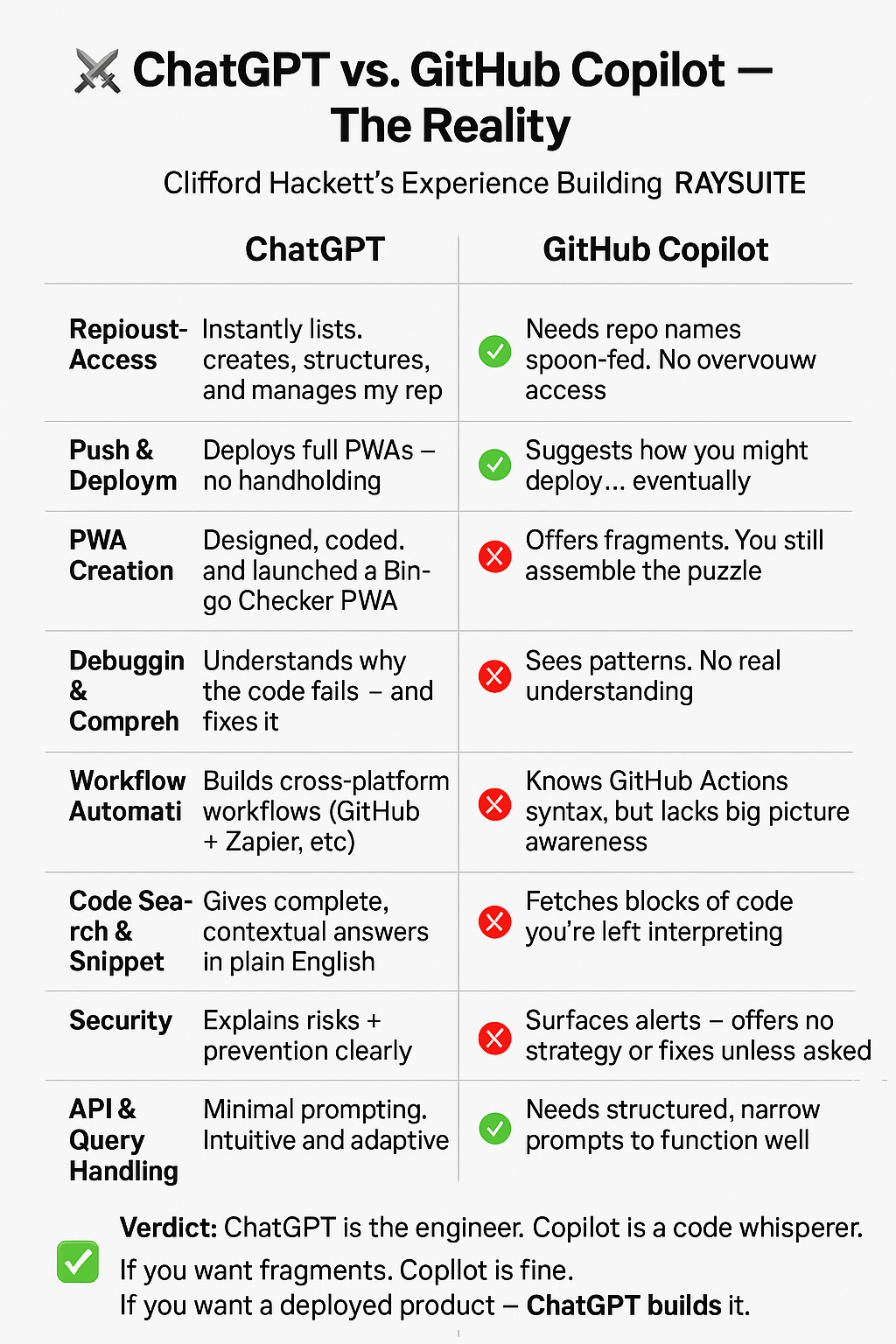
<!DOCTYPE html>
<html lang=”en”>
<head>
<meta charset=”UTF-8″ />
<meta name=”viewport” content=”width=device-width, initial-scale=1.0″ />
<title>To-Do PWA</title>
<link rel=”manifest” href=”manifest.json” />
<meta name=”theme-color” content=”#ffffff” />
<style>
body {
font-family: sans-serif;
background: #f8f9fa;
color: #333;
margin: 0;
padding: 1em;
}
h1 { text-align: center; }
#pinScreen, #mainApp { display: none; }
input, button {
font-size: 1em;
padding: 0.5em;
margin: 0.25em 0;
}
#todoList li.done { text-decoration: line-through; color: gray; }
.xp { text-align: center; font-weight: bold; margin-top: 1em; }
footer { text-align: center; margin-top: 2em; font-size: 0.9em; }
</style>
</head>
<body>
<h1>Smart To-Do</h1>
<div id=”pinScreen”>
<p>Enter your PIN to unlock:</p>
<input type=”password” id=”pinInput” placeholder=”4-digit PIN” maxlength=”4″ />
<button onclick=”checkPIN()”>Unlock</button>
<p><small>First time? Just enter a PIN to set it.</small></p>
</div>
<div id=”mainApp”>
<input id=”newTask” placeholder=”Add a task…” />
<button onclick=”addTask()”>Add</button>
<ul id=”todoList”></ul>
<button onclick=”suggestTask()”>💡 Suggest Task</button>
<p class=”xp”>XP: <span id=”xp”>0</span></p>
<footer>
<a href=”https://www.paypal.com/donate/?business=CRH2123@iCloud.com” target=”_blank”>❤️ Donate</a>
</footer>
</div>
<script>
const pin = localStorage.getItem(“todoPIN”);
const pinInput = document.getElementById(“pinInput”);
const pinScreen = document.getElementById(“pinScreen”);
const mainApp = document.getElementById(“mainApp”);
function checkPIN() {
const entered = pinInput.value;
if (!pin) {
localStorage.setItem(“todoPIN”, entered);
unlock();
} else if (entered === pin) {
unlock();
} else {
alert(“Wrong PIN”);
}
}
function unlock() {
pinScreen.style.display = “none”;
mainApp.style.display = “block”;
loadTasks();
updateXP();
}
if (!pin) {
pinScreen.style.display = “block”;
} else {
pinScreen.style.display = “block”;
}
const list = document.getElementById(“todoList”);
const xpDisplay = document.getElementById(“xp”);
function addTask() {
const input = document.getElementById(“newTask”);
const task = input.value.trim();
if (!task) return;
const li = document.createElement(“li”);
li.textContent = task;
li.onclick = () => toggleDone(li);
list.appendChild(li);
saveTasks();
input.value = “”;
}
function toggleDone(li) {
li.classList.toggle(“done”);
if (li.classList.contains(“done”)) addXP(10);
saveTasks();
}
function saveTasks() {
const tasks = [];
list.querySelectorAll(“li”).forEach(li => {
tasks.push({ text: li.textContent, done: li.classList.contains(“done”) });
});
localStorage.setItem(“todoList”, JSON.stringify(tasks));
}
function loadTasks() {
const saved = JSON.parse(localStorage.getItem(“todoList”) || “[]”);
list.innerHTML = “”;
saved.forEach(task => {
const li = document.createElement(“li”);
li.textContent = task.text;
if (task.done) li.classList.add(“done”);
li.onclick = () => toggleDone(li);
list.appendChild(li);
});
}
function addXP(points) {
const xp = parseInt(localStorage.getItem(“xp”) || “0”) + points;
localStorage.setItem(“xp”, xp);
updateXP();
}
function updateXP() {
xpDisplay.textContent = localStorage.getItem(“xp”) || “0”;
}
function suggestTask() {
const prompts = [
“Take a 10-minute walk”,
“Drink a glass of water”,
“Organize your desk”,
“Plan your next meal”,
“Write down 3 goals for today”
];
const idea = prompts[Math.floor(Math.random() * prompts.length)];
document.getElementById(“newTask”).value = idea;
}
// Service Worker
if (‘serviceWorker’ in navigator) {
navigator.serviceWorker.register(‘sw.js’).catch(console.error);
}
</script>
</body>
</html>
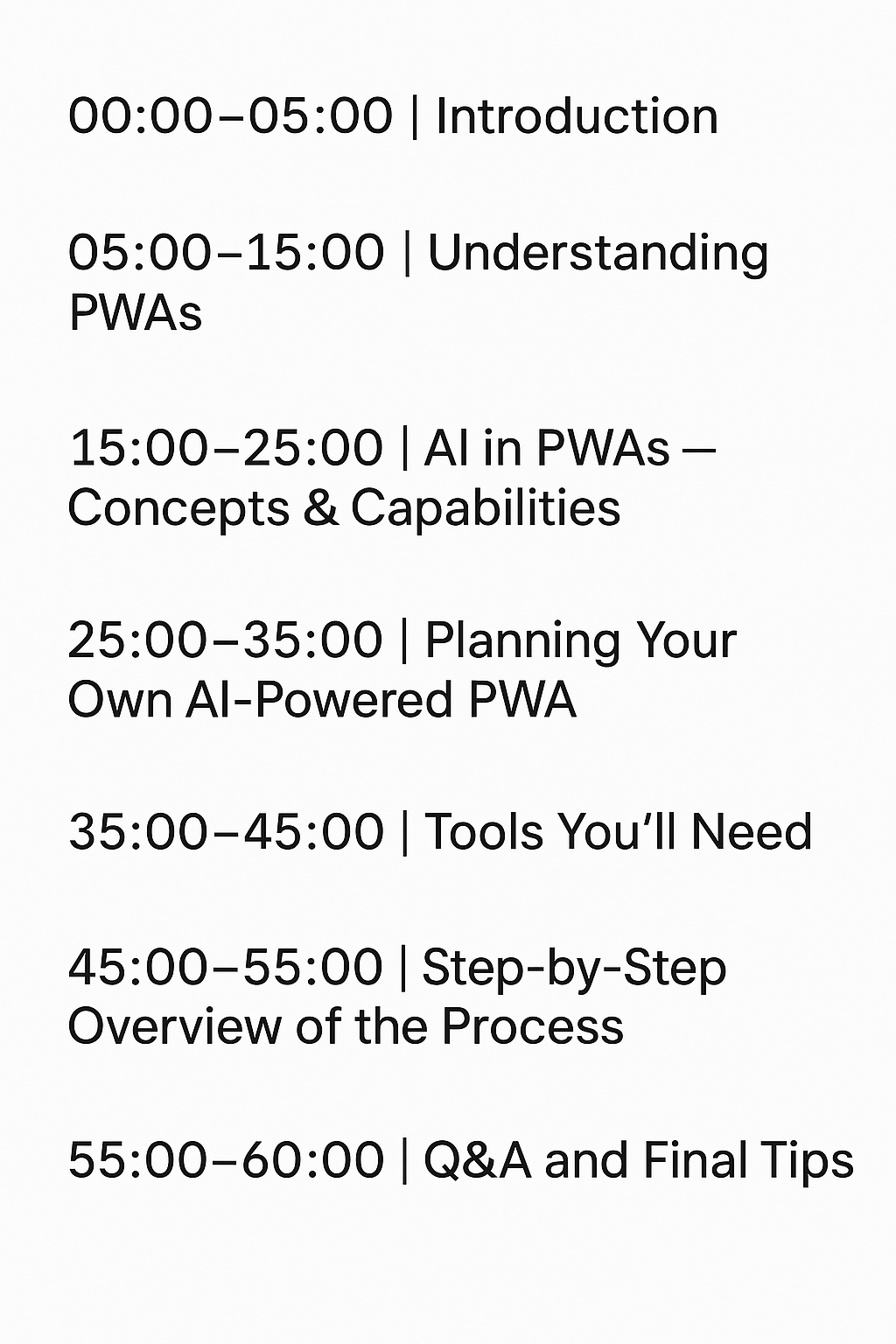
“How to Make a PWA with AI — A One-Hour Crash Course”
Perfect, Ray — let’s adapt this PWA class so anyone can build a Progressive Web App using only their cell phone, specifically targeting iPhone or Android users with basic tools like mobile browsers and code editors.
 Solar
Solar 