https://www.icloud.com/shortcuts/e5a0fb8b0e8f4486ad95afb2beecc1c5
Script to SMS multiple numbers
#!/bin/bash
MESSAGE=”Hello from my iMac!” # Your message
# List of phone numbers in sequence after yours
PHONE_NUMBERS=(“6717872345” “6717872346” “6717872347” “6717872348” “6717872349” “6717872350” “6717872351” “6717872352” “6717872353” “6717872354”)
# Loop through each number and send the message
for PHONE_NUMBER in “${PHONE_NUMBERS[@]}”; do
osascript <
OCR code
import requests
def ocr_space_file(filename, overlay=False, api_key=’helloworld’, language=’eng’): “”” OCR.space API request with local file.
Python3.5 – not tested on 2.7
:param filename: Your file path & name.
:param overlay: Is OCR.space overlay required in your response. Defaults to False.
:param api_key: OCR.space API key.
Defaults to ‘helloworld’.
:param language: Language code to be used in OCR.
List of available language codes can be found on https://ocr.space/OCRAPI Defaults to ‘en’.
:return: Result in JSON format.
“””
payload = {‘isOverlayRequired’: overlay,
‘apikey’: api_key,
‘language’: language,
}
with open(filename, ‘rb’) as f:
r = requests.post(‘https://api.ocr.space/parse/image‘, files={filename: f},
data=payload,
)
return r.content.decode()
def ocr_space_url(url, overlay=False, api_key=’helloworld’, language=’eng’): “”” OCR.space API request with remote file.
Python3.5 – not tested on 2.7
:param url: Image url.
:param overlay: Is OCR.space overlay required in your response. Defaults to False.
:param api_key: OCR.space API key.
Defaults to ‘helloworld’.
:param language: Language code to be used in OCR.
List of available language codes can be found on https://ocr.space/OCRAPI Defaults to ‘en’.
:return: Result in JSON format.
“””
payload = {‘url’: url,
‘isOverlayRequired’: overlay,
‘apikey’: api_key,
‘language’: language,
}
r = requests.post(‘https://api.ocr.space/parse/image‘,
data=payload,
)
return r.content.decode()
# Use examples:
test_file = ocr_space_file(filename=’example_image.png’, language=’pol’)
☑️ Weekly To-do List
Check if script copy blocks are include
Yes! You can send a message from your iMac to a phone number using **AppleScript** with the **Messages app**. Here’s a simple script:
“`bash
#!/bin/bash
PHONE_NUMBER=”1234567890″ # Replace with the recipient’s number MESSAGE=”Hello from my iMac!” # Your message
osascript <
Screenshot 2025-06-10 at 10.47.12 AM
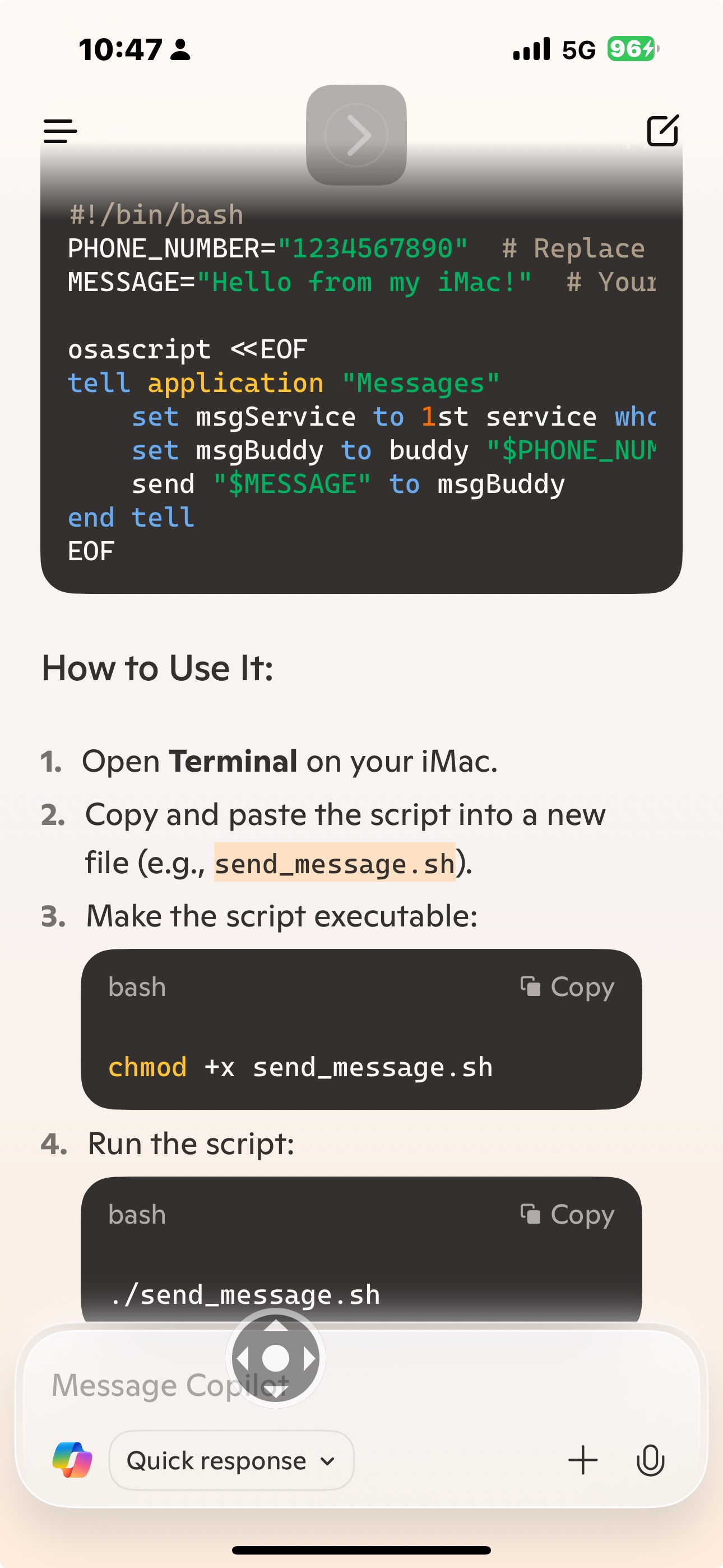
Script to send SMS from iMac
#!/bin/bash
PHONE_NUMBER=”1234567890″ # Replace with the recipient’s number MESSAGE=”Hello from my iMac!” # Your message
osascript <
Trying to access iMessages on my iMac
idmsa.apple.com/appleauth/auth/authorize/signin?frame_id=daw- C
+
https://idmsa.apple.com/appleauth/au
/authorize/signin?frame_id=daw-a044e86e-2b6f-47c3-9e69-ba6f410a…
https//
ra.apple.com/appleauth/
auth/auch
ze/signin?frame_id=daw-
a044e86e-2b6f-47c3-9e69-ba6f410a8996&language=US-
EN&skVersion=7&iframeld=daw-
idmsa.apple.com
 Solar
Solar 