Ray Services | Quantum PWA
Category Archives: Uncategorized
Apply
17 ways to HAVE lots of content IN one file
Single-File Super App Demo
Single-File Super App Demo
Home
Modules
Virtual List
Assets
Workers
Home (Hash Routing)
This is the home route. Click the nav links to simulate SPA navigation inside one file.
Inject Big Template (Template Tag)
Big Section from <template>
This content was stored in a <template> and cloned on demand.
Modules (Virtual DOM in Strings)
Content is stored as strings and injected only when needed.
Load Module String Unload Module
Virtualized List (DOM Recycling + Paging)
Only a small set of DOM nodes are reused to represent many items.
Compressed Content (Base64)
Large text is stored as base64 and decoded on demand.
Decode Text
Web Worker + Idle-Time Preprocessing
Heavy computation is offloaded to a worker created from a Blob.
Run Worker Task
Idle-time task status: pending…
Shadow DOM Island
IntersectionObserver Lazy Sections
Scroll down to trigger lazy loading of content.
Waiting to load section 1…
Waiting to load section 2…
Inline SVG Sprite
Using an inline icon:
CSS Containment
This box uses contain: content; to limit layout/repaint scope.
Anchor-Based Deep Linking
Jump directly to Virtual List or Modules.
Inline ES Modules
We define a module in a script tag and import it via Blob.
Run Inline Module
Base64 / Blob-URL Asset
Image generated from base64 data URL (1×1 PNG).
Self-Contained Service Worker
This page can register a service worker built from a Blob, all inside this file.
Register Service Worker
Skeleton Loading + Lazy Injection
Load Real Content
`;
const moduleContainer = document.getElementById(‘moduleContainer’); document.getElementById(‘btnLoadModule’).onclick = () => {
moduleContainer.innerHTML = moduleHTML;
};
document.getElementById(‘btnUnloadModule’).onclick = () => { moduleContainer.innerHTML = ”;
};
/* 8: Template Tag Injection */
document.getElementById(‘btnShowBigTemplate’).onclick = () => { const tpl = document.getElementById(‘bigSectionTemplate’);
const clone = tpl.content.cloneNode(true);
document.getElementById(‘bigTemplateTarget’).appendChild(clone); };
/* 3 & 12: DOM Recycling + Memory Paging (simple virtual list) */ const virtualList = document.getElementById(‘virtualList’);
const virtualInner = document.getElementById(‘virtualInner’); const totalItems = 1000;
const itemHeight = 20;
const visibleCount = 20;
virtualInner.style.height = (totalItems * itemHeight) + ‘px’;
const pool = [];
for (let i = 0; i < visibleCount; i++) {
const div = document.createElement(‘div’);
div.className = ‘list-item’;
div.style.position = ‘absolute’;
pool.push(div);
virtualInner.appendChild(div);
}
function renderVirtualList(scrollTop) {
const startIndex = Math.floor(scrollTop / itemHeight);
for (let i = 0; i < visibleCount; i++) {
const itemIndex = startIndex + i;
const node = pool[i];
if (itemIndex >= 0 && itemIndex < totalItems) {
node.style.top = (itemIndex * itemHeight) + ‘px’;
node.textContent = ‘Item #’ + itemIndex;
node.style.display = ”;
} else {
node.style.display = ‘none’;
}
}
}
virtualList.addEventListener(‘scroll’, () => {
renderVirtualList(virtualList.scrollTop);
});
renderVirtualList(0);
/* 4: Content Compression (Base64 text) */
const base64Text = btoa(‘This text was stored as base64 and decoded on demand.’); document.getElementById(‘btnDecodeText’).onclick = () => {
document.getElementById(‘decodedText’).textContent = atob(base64Text); };
/* 5: Web Worker via Blob + 10: Idle-Time Preprocessing */
let worker;
document.getElementById(‘btnRunWorker’).onclick = () => {
if (!worker) {
const workerCode = `
self.onmessage = e => {
let sum = 0;
for (let i = 0; i < 1e6; i++) sum += i;
self.postMessage(‘Worker sum: ‘ + sum);
};
`;
worker = new Worker(URL.createObjectURL(new Blob([workerCode], { type: ‘text/javascript’ }))); worker.onmessage = e => {
document.getElementById(‘workerResult’).textContent = e.data; };
}
worker.postMessage(‘run’);
};
if (‘requestIdleCallback’ in window) {
requestIdleCallback(() => {
// fake preprocessing
document.getElementById(‘idleStatus’).textContent = ‘idle preprocessing complete’; });
} else {
setTimeout(() => {
document.getElementById(‘idleStatus’).textContent = ‘idle preprocessing complete (fallback)’; }, 500);
}
/* 6: Shadow DOM Island */
const shadowHost = document.getElementById(‘shadowHost’);
const shadowRoot = shadowHost.attachShadow({ mode: ‘open’ }); shadowRoot.innerHTML = `
Read AGAIN
https://notebooklm.google.com/notebook/ca2bdfc0-b2e3-4ae7-88cf-206050dad88b
Untitled https://ray.services/ notebook – NotebookLM
https://notebooklm.google.com/notebook/ca2bdfc0-b2e3-4ae7-88cf-206050dad88b
NotebookLM https://notebooklm.google.com/?hl=en
NotebookLM
https://notebooklm.google.com/?hl=en
Index file 260126
Ray Services | 671 I Know Me
Podcast one for PDF
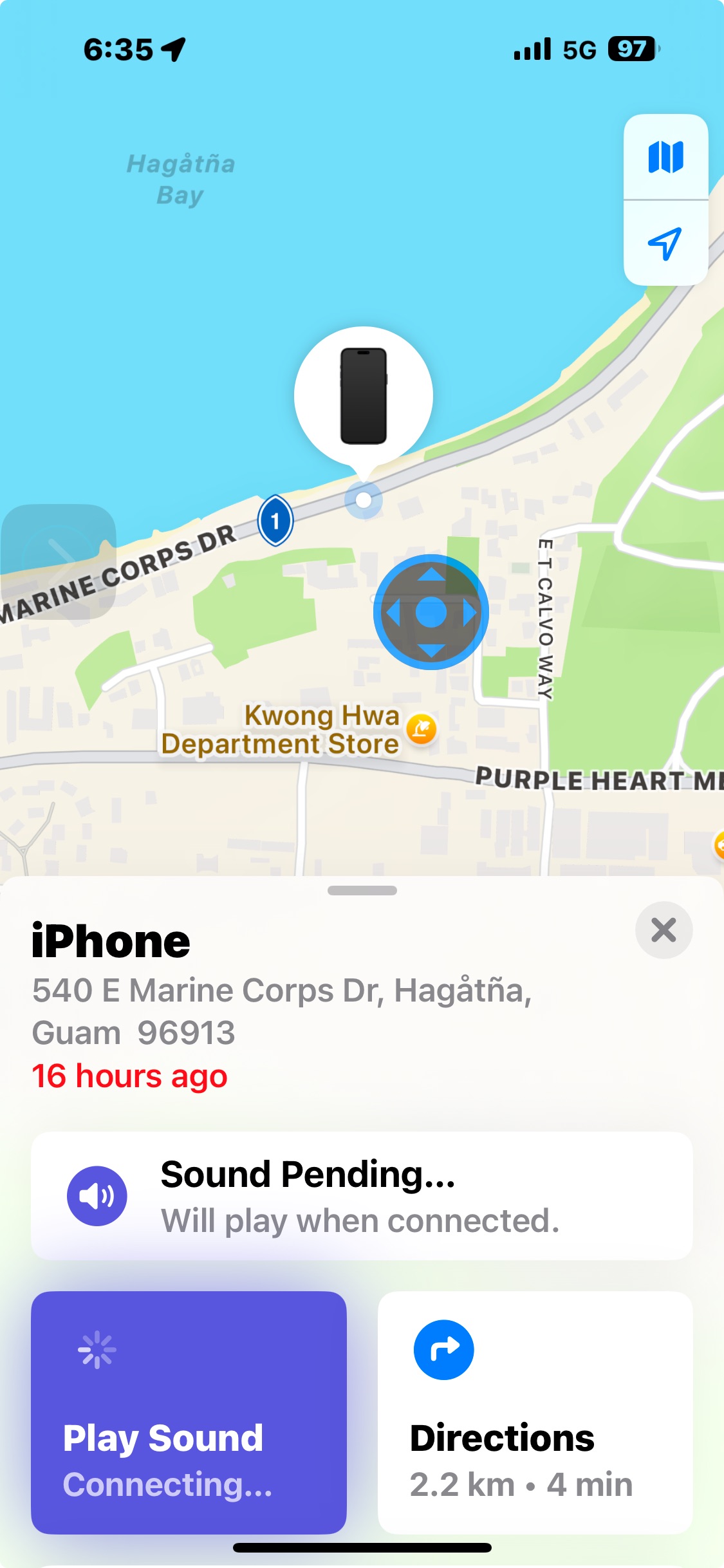
Police KNOW locations of my STOLEN iPhone throughout the day and night and have videos of suspect
Is it time for internal affairs investigation?
Which is the proper purpose procedure first step ethics complaint or internal affairs investigation
Based on your Google code (7t2YuCbESiwlC_20hCOfvaQa50mChtTwpKMHai29Z38), the file you uploaded will be named in this format: google7t2YuCbESiwlC_20hCOfvaQa50mChtTwpKMHai29Z38.html
I don’t have the exact URL for that file because it’s a private link on your domain, but I can tell you exactly what the filename looks like so you can find it in your cPanel File Manager tomorrow.
Based on your Google code (7t2YuCbESiwlC_20hCOfvaQa50mChtTwpKMHai29Z38), the file you uploaded will be named in this format:
google7t2YuCbESiwlC_20hCOfvaQa50mChtTwpKMHai29Z38.html
Where to find it
When you log into your cPanel at 9 AM:
1. Go to the File Manager.
2. Open the public_html folder.
3. Look for the file starting with “google…” and ending in “.html”.
What I Changed & Why
• Verification: I checked the specific string you provided in your saved info to reconstruct the likely filename Google generated for you.
• Correction: You mentioned “petting” the code; since you uploaded a physical file to your server, we don’t necessarily need to paste the code inside your index.html file as well (though it doesn’t hurt). Having the file in your root directory is usually enough for Google.
Your “Ready-to-Go” Plan for 9 AM
Since you can access cPanel easily but not the main GoDaddy account, we will:
1. Verify that file is still in your public_html folder.
2. Use it to confirm your site in Google Search Console.
3. Once verified, I will help you set up the YouTube Podcast connection.
Would you like me to write the “About” description for your YouTube Podcast tonight so you can just copy-paste it when you start?
 Solar
Solar 